|
| |
AfterBurn 4.0b
- fixed: Object shadows are now listed when you write inside MXS listener : show $ NumSubs() now returns 2 - fixed: accessing AB Shadow Map via MXS, resulted in system exception - fixed: AfterBurn's metaball HyperSolids render bug fix - added: Shadow Map will now display a name of the light for which it's built - fixed: Noise PW crash fix - fixed: The AfterBurn Wind and VMap Daemons' rollout didn't appear in the AfterBurn UI when you select them in the Source Particles/Daemons window. - fixed: black spots with Octane Shader
AfterBurn 4.0
AfterBurn 4.0 delivers rendering speed improvements, workflow enhancements and modularity/extensibility.
AfterBurn 4.0 is a $135 upgrade for existing AfterBurn 3.2 users. Users that have purchased AfterBurn 3.2 after October 1st 2007 are entitled for a free upgrade.
Here is a short list of what’s new in AfterBurn 4.0:
- New AfterBurn Shadow Map brings a great speed improvement without significant shadow quality loss. Speed improvement over Raytraced Shadows in AfterBurn 3.2 can be more than a factor of five for dynamic scenes and even up to factor of ten for static cloud animations.
- AfterBurn no longer needs special type of shadows to be able to calculate self-shadowing effect as it supports standard light’s interface for atmospheric shadows (light’s “Atmosphere Shadows” option).
- FusionWorks support. AfterBurn will properly blend with FumeFX, ScatterVL Pro and Standard 3ds max Fog. FusionWorks support also brings output to FusionWorks Z-Depth Render Element as well as output to non-clamped colors, used in .exr, or .hdr file formats.
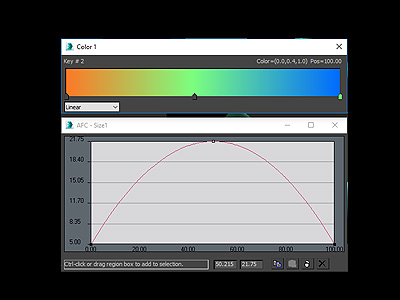
- AFC View is a new workflow improvement that allows users to edit all AFCs and Gradients from one place.
- Geometry Clipping option enables that particles that are contained inside geometry do not render outside of it.
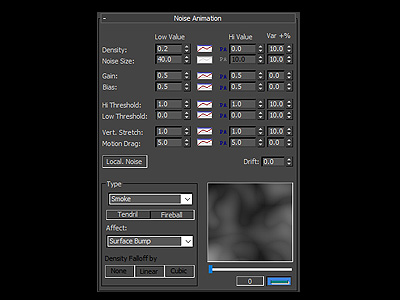
- Completely reworked built in noise types are now in form of a plug-ins for AfterBurn that can also be developed by 3rd parties. New 3D Texture Map allows users to use 3ds max 3D Map as a noise generator inside AfterBurn.
- AfterBurn Daemons user interface is displayed directly inside AfterBurn UI.
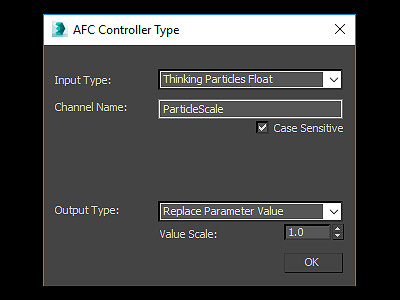
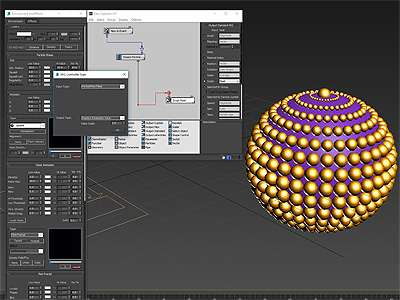
- New Cebas’ ThinkingParticles controller that allows using TP’s channels to replace AfterBurn values.
- New max script functionality.

|
|
|